
Automate your social media with AI agents.

Connect Claude or ChatGPT to Wavos to upload and schedule posts. Wavos handles publishing and the comment/ DM automations you set up to generate more customers for your business.

Wavos connects Claude or ChatGPT to your social publishing workflow through MCP. Create content with your assistant, upload and schedule finished posts with Wavos, and let Wavos publish at the scheduled time. You can also upload and schedule directly without an AI assistant. Configure Instagram keyword-triggered comment replies and private messages in the Wavos app to deliver links people request. Instagram and LinkedIn publishing are available; X and TikTok are coming soon.

How it Works

Connect Wavos to Claude, ChatGPT, or any MCP-compatible agent. Create content in your assistant, schedule posts with Wavos, and set up comment replies in the Wavos app.

Step 01

Connect your AI assistant to Wavos

Add Wavos as a connector in your AI assistant, then sign in to approve the connection. No code required.

Claude

Add a custom connector

ChatGPT

Connect Wavos to your assistant

Grok

Use the Wavos server URL

Add custom connectorBETA

Enter the name and server URL to connect Wavos to Claude.

Name

Wavos AI

Server URL

https://app.backend.wavos.ai/api/mcp

Only connect to services you trust.

Step 02

Create in your AI, schedule with Wavos

Make your content in Claude, ChatGPT, or your favorite AI assistant. Then ask it to upload your finished images and schedule the post on Instagram with Wavos.

  • Make it your way

    Create content in the AI assistant you use

  • Choose a time

    Schedule the finished post in your chat

  • Schedule across platforms

    Instagram & LinkedIn now; more coming soon.

Claude + Wavos

I made a carousel about AI productivity. Schedule it on Instagram tomorrow at 9 AM.

Ran a command, used Wavos integration

Ran a command
Schedule post

Your AI productivity carousel is scheduled through Wavos for Instagram tomorrow at 9 AM. You can find it in your Wavos calendar.

Step 03

Set up comment replies in Wavos

Choose a keyword and your reply in Wavos. Once the rule is active, Wavos responds automatically when someone comments on your Instagram, X or TikTok post.

  • Unlimited DMs and comments

    Send unlimited replies with no per-message fees

  • Unlimited contacts

    Reach more people without paying more

  • One flat monthly price

    More contacts, DMs or comments. Same price.

Comment auto-replyActive
  1. Trigger

    Comment contains keyword

    Someone comments “FREE” on your Instagram post

  2. Reply to comment

    Public reply

    “Sent you a DM!”

  3. Send DM

    Lead magnet DM

    “Hey! Here’s your link: …”

Sequence: an Instagram comment containing FREE triggers a public reply, then a DM with the lead magnet link.

Free through Wavos

Free content creation prompts and skills

Create content for your company with our free Claude skills, prompts, and step-by-step guides. Add your brand and ideas, review what Claude creates, then schedule it with Wavos. No checkout or trial required to get the resources.

Browse all free guides
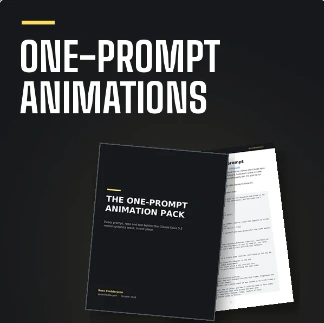
Cover for Claude Animation Prompts - Claude Opus 5.5 Motion Graphics Prompts. Prompts, repositories, and tools for creating motion graphics with Claude from a single prompt.
PromptsFree

Motion graphics for your company, from one prompt

Product launches, feature explainers, stat reveals and brand intros. Start from tested prompts and workflows, swap in your company details, and have Claude build the animation.

  • Full prompts you can adapt to your brand
  • Setups and workflows that show the exact steps
  • Repositories, skill kits and example videos

Get the free guide
Cover for Instagram Carousel Generator - Claude Skill. A Claude skill for researching topics, writing branded carousel slides, rendering PNGs, and drafting Instagram captions.
Claude skillFree

A reusable skill that writes your company carousels

Set up your name, handle, niche and accent color once. Then give Claude a topic and get branded 1080 x 1350 slides, hook variants and a caption, ready to review and schedule.

  • One-time brand setup, reused every run
  • Direct, curiosity and bold-claim hooks
  • Slide PNGs plus a post-ready caption
Get the free guide
  1. 01

    Pick a prompt or skill

    Open the guide that matches the content you need this week.

  2. 02

    Add your company context

    Brand, audience, offer. Claude works from your details, not a template.

  3. 03

    Create, then schedule

    Check the output, then bring it into Wavos and queue it as posts.

What’s included with Wavos

FeaturesReplacesOther toolsWavos
  • Post schedulingBuffer$12/moIncluded
  • Schedule from Claude or ChatGPTPostiz$29/moIncluded
  • First comment schedulingPubler$5/moIncluded
  • Automated comment repliesManychat$17/moIncluded
  • Keyword comment-to-DMLinkDM$19/moIncluded
  • AI response draftingJasper$69/moIncluded
Overall price$151/mo$5 per month

Less manual posting. No growing contact bill.

“Before Wavos, posting was a whole process. I’d design a carousel or edit a video in Claude, download it, AirDrop it to my phone, upload it to Instagram, then copy and paste the caption. Now I just tell Claude to schedule the post and it’s done.

ManyChat was the other headache. One of my videos went viral and got tens of thousands of comments, and my ManyChat bill shot past $600 a month. Wavos gives me unlimited contacts for one flat price, so going viral doesn’t mean paying more.”

Portrait of Ross Fledderjohn

Ross Fledderjohn

Over 200k followers on Instagram

@rossfledderjohn

Simple pricing for everyone.

One Pro plan. 2 accounts included. Launch pricing for the first 25 customers; Instagram and LinkedIn are available now.

Pro

For creators and businesses turning engagement into leads.

First 25 customers · Save 83%

Regular price

$29/month

Your launch price

$5/month

2 accounts included · Billed monthly

Start your 7 day free trial

7-day free trial. No credit card required.

What's included

  • 2 accounts included
  • Unlimited scheduled posts per channel
  • 1 user account
  • Schedule posts from ChatGPT & Claude
  • MCP access
  • First comment scheduling
  • Reply to comments
  • Send DMs automation
  • AI generated responses
  • Unlimited contacts
  • 100 AI content creation credits

Frequently asked questions

Can't find your answer? Email us.

How does comment automation work?

You pick a keyword (e.g. "FREE"), write a DM reply, and turn it on. When anyone comments that word on your post, Wavos instantly sends them your personalised message, automatically, 24/7.

Which platforms does Wavos support?

Wavos works on Instagram and LinkedIn today. TikTok and X (Twitter) support are coming soon.

Do I need any technical skills to set it up?

None at all. If you can write a text message, you can set up a Wavos automation in under 5 minutes.

Can I upload and schedule content manually without MCP?

Yes. You can upload your own content and schedule posts directly in Wavos without connecting an AI agent. MCP is optional if you want to work through an AI tool instead.

Will my followers know it's automated?

No. DMs arrive like a normal message from your account. You can personalise the wording so every reply feels human and on-brand.

Can I connect multiple accounts?

Yes. Pro includes 2 connected social accounts in one flat-price plan. Instagram and LinkedIn are available now. The launch offer for the first 25 customers is $5 per month, billed monthly, for the entire plan.

Is there a free trial?

Yes. You can start a 7-day free trial when you create your account. No credit card required.

Can I cancel at any time?

Absolutely. There are no long-term contracts. Cancel from your account settings in one click and you won't be charged again.

Is Wavos safer than ManyChat for Instagram?

Yes. Wavos is built to work within Instagram's official API limits, using rate controls and human-like timing so your account is never flagged for bot behavior. ManyChat users on Reddit and review sites frequently report suspensions and 'bot use' warnings, Wavos is designed from the ground up to avoid that.

How does Wavos pricing compare to ManyChat?

Wavos Pro includes 2 accounts and unlimited contacts. Its regular price is $29 per month, billed monthly. The launch offer is for the first 25 customers: $5 per month, billed monthly. These prices cover the entire 2-account plan, not each account.

Can I switch from ManyChat to Wavos?

Yes. You can recreate your comment and DM automations in Wavos in minutes, no technical knowledge needed. Most creators are up and running the same day they sign up. Our onboarding walks you through each step.

Does Wavos have real human support?

Yes. Every Wavos plan includes access to real support, not just a help centre and a ticket queue. If something breaks or your automation isn't firing correctly, you can reach a real person who will actually fix it, not send you a canned reply.

Built for creators and small businesses

Your next comment
could be your next customer.

Set up a comment automation in under 5 minutes. Then post, and let Wavos turn every reply into a conversation that sells.

Start your 7 day free trial

Set up in 5 minutes · Cancel anytime